Draw Anime - AR Drawing Sketch
- 4.4
- Rating
- 5.00M
- Installs
- Free
- Price
 Analysis by App-foxy
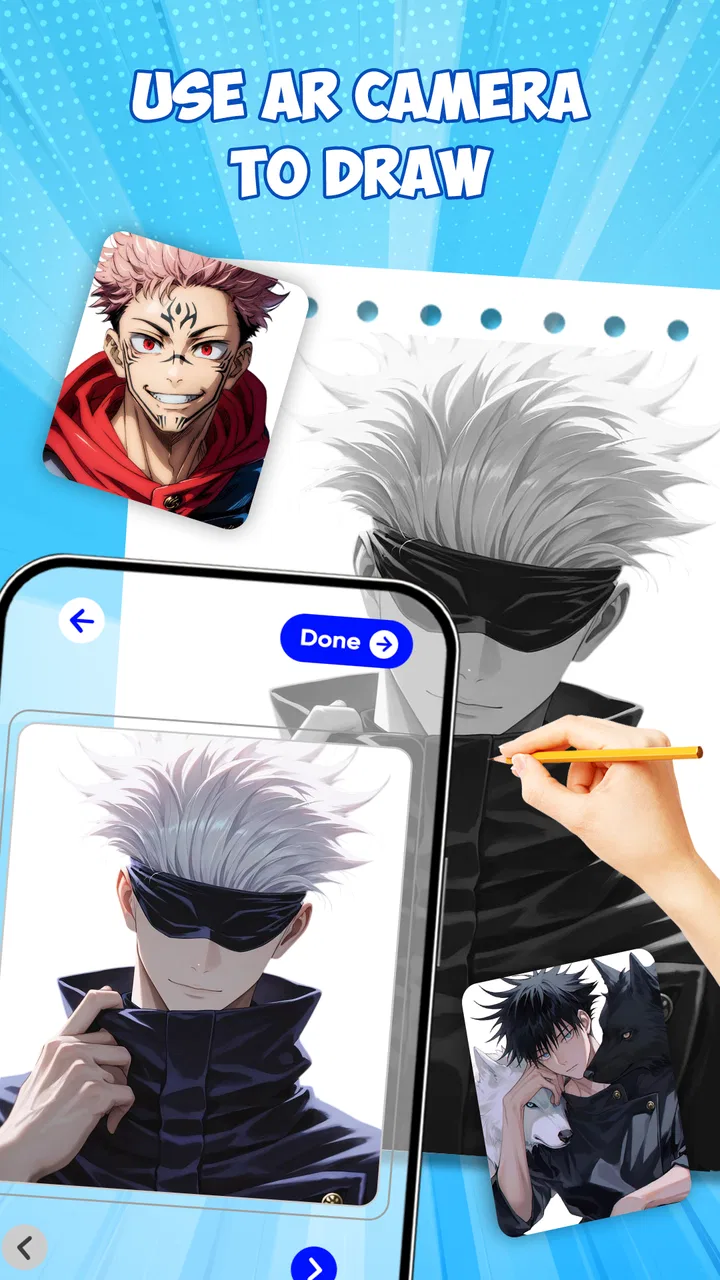
Learning to draw anime can feel harder than it looks. A reference image may seem simple, yet turning it into clean lines, expressive eyes, and believable hair takes patience. Draw Anime - AR Drawing Sketch is designed to make that first step less intimidating by combining guided anime practice with an augmented-reality drawing approach. I found its main appeal in the way it gives beginners something visible to follow instead of asking them to copy a finished picture from memory.
This is a free Art & Design app from LOGICLABS LIMITED, aimed at an Everyone audience. It has reached over a million installs and holds a 4.6 average from around five thousand ratings, which suggests that the basic idea is connecting with a sizeable beginner audience. The app is currently at version 1.3.4 and requires Android 7.0 or later. Those details matter because the experience depends heavily on whether your phone can display the drawing reference comfortably and steadily.
Getting past the first points of friction
The first obstacle is usually not drawing itself but understanding what the app expects from the user. An AR drawing tool is different from a conventional sketchbook app. You are not simply opening a blank canvas, selecting a brush, and drawing wherever you like. The phone becomes part of the setup, and the surface beneath it matters. If the device is held at an awkward angle or the reference shifts while you work, even a useful lesson can become frustrating.
You May Also Like

 Blood Strike: 2.5 Anniversary
Blood Strike’s Loadouts Turn Every Drop Into a Tactical Gamble
A close look at Blood Strike’s custom loadouts: how fast access to signature weapons reshapes its battle royale rhythm, rewards preparation, and narrows the gap between fights.

 Pandora - Music & Podcasts
Pandora’s Music Is Easy to Start, but Harder to Recover
Pandora’s strength is its low-effort path from a seed to a station. Its weak spot is how much confidence it asks you to place in connection, setup, and quiet recovery.

 8 Ball Pool
 Is Built on Rivalries, Rematches, and Routine
A close look at the rivalries, rematches, shared routines, and unanswered safety questions that turn a quick pool match into a persistent mobile community.

 Samsung Music
’s Quiet Strength Is Playing What You Already Own
Its reach comes less from spectacle than from dependable access to a personal library. That simplicity is both the app’s strongest retention engine and its ceiling.

 AccuWeather: Weather Radar
AccuWeather Review: A Quick, Clear Forecast for Everyday Decisions
For everyday plans, the best forecast is the one you can understand quickly. AccuWeather makes rain timing, radar, and local conditions easy to act on, with a few trade-offs.

 Hill Climb Racing
Why Hill Climb Racing Still Turns Crashes Into One More Run
A tiny car, a bumpy hill and one more upgrade: Hill Climb Racing keeps resurfacing because its simple chaos makes every near-miss feel personal.
More From Our News Desk



I recommend beginning with a flat, stable surface and a sheet of paper that will not move easily. A small piece of tape at the corners can make a noticeable difference. This is not a special feature of the application; it is a practical way to keep your hand from nudging the paper while the phone remains in position. The more stable the physical setup, the more useful the on-screen guidance becomes.
Many beginners also expect the projected image to behave like ink printed directly onto the page. It does not. The displayed reference is a visual guide, so your result still depends on line control, pressure, proportions, and how carefully you follow the shapes. I see this as an advantage for learning, because the app does not completely replace the act of drawing. It gives you structure while leaving the actual hand movement to you.
Another common sticking point is choosing a reference that matches your current ability. Anime faces often look approachable because they use clean shapes, but small differences in eye height or jaw width can change the expression. Starting with a complicated character pose is likely to produce discouragement. A better approach is to use the simplest available lesson first, complete it slowly, and repeat it without the guide afterward. That second attempt shows whether you are learning the construction or merely tracing the momentary image.
Checks worth making before you begin
Before blaming the app for an uncomfortable session, I would check the basics. Make sure the phone is running Android 7.0 or newer, since that is the stated minimum operating system. Keep the display clean, place the device where your drawing hand will not constantly bump it, and choose lighting that lets you see both the paper and the screen. Bright glare can make a faint guide difficult to follow, while a dark room makes the physical page harder to judge.
It is also worth deciding whether you want to draw with the phone on a stand, leaned against something secure, or held in another stable position. The ideal arrangement is the one that keeps the reference visible without forcing your wrist into an unnatural angle. If you are drawing for more than a few minutes, comfort becomes important. A setup that works for a quick experiment may become tiring during a full character study.
Because the application is free, it is easy to try without committing money, but free access does not remove the need for patience. I would treat the first session as calibration rather than a test of artistic talent. Find the viewing angle, adjust the paper position, and make a few loose practice marks before attempting detailed eyes or hair. This small preparation reduces the feeling that every line has to be perfect.
One useful habit is to keep the paper size and phone position consistent during a series of drawings. If you change both at once, it becomes difficult to tell whether a result improved because your technique improved or because the reference simply became easier to follow. Keeping the physical arrangement similar turns the app into a more reliable practice tool rather than a collection of disconnected tracing attempts.
How I would use the app as a learning routine
I would divide a session into three passes. In the first, I would observe the reference and identify the largest shapes: the head, face direction, hair mass, and body angle. In the second, I would draw those shapes lightly and avoid rushing into details. In the third, I would refine the features and compare the spacing between them. This workflow is more productive than beginning with the eyes because anime eyes are visually prominent but depend on the structure around them.
The AR approach is particularly helpful for proportion practice. You can use the guide to notice how far the eyes sit from the centerline, where the chin falls beneath the cheeks, and how the hair overlaps the forehead. Those relationships are easy to miss when copying from a small image in a gallery. The projected reference places the act of copying directly on the page, which can make spatial mistakes easier to spot while they are happening.
Still, I would not rely on the guide for every drawing. After completing a lesson, hide or move away from the reference and redraw the same subject from memory. The result will probably be rougher, but that contrast is valuable. It reveals which parts you understood and which parts you only followed mechanically. In my view, this is one of the strongest ways to turn a tracing-oriented session into genuine practice.
For a child or a complete beginner, the app can also work as a low-pressure creative activity. The Everyone rating makes it suitable for a broad audience, but supervision may still help younger users with device placement and handling. The important point is that the app offers an approachable entry into drawing without requiring a large collection of brushes, layers, or technical controls before the first mark is made.
Recovering when a drawing session goes wrong
When the guide appears misaligned, the first thing I would do is stop drawing rather than trying to compensate line by line. Check whether the paper or phone moved, then return both to the original position. Continuing with a shifted reference usually creates a drawing with inconsistent proportions, and it becomes harder to identify the real cause of the problem.
If the display feels difficult to follow, simplify the scene. Use a clean sheet, reduce visual clutter around the page, and choose a less detailed subject. This helps separate an actual alignment issue from a reference that is simply too complex for the current session. A beginner can mistake excessive detail for technical failure, especially when several strands of hair or small facial features overlap.
When the app stops responding normally, I would use ordinary, safe checks first: close and reopen it, confirm that the phone is not overloaded with other open applications, and make sure the device has enough battery for a longer drawing session. If the problem continues, restarting the phone is a reasonable next step. These actions do not guarantee a fix, but they are sensible before assuming that the drawing workflow itself is broken.
It is also helpful to separate visual discomfort from app failure. If the image looks unstable because the phone is being held in your hand, a stand or firmer support may solve more than changing settings. If lines look inaccurate because the paper is sliding, securing the paper is more useful than repeatedly restarting the application. The physical AR arrangement is part of the experience, so recovery often begins outside the screen.
Save or photograph your finished work when you are satisfied with it, especially if you are using the exercise to track improvement. I would take a picture in consistent lighting and from a similar angle each time. That creates a simple personal record of progress and makes it easier to compare early attempts with later ones. The value here comes from the habit, not from expecting every session to produce a polished illustration.
Where other tools may be the better choice
Draw Anime - AR Drawing Sketch is not the right choice for every artist. If you already understand construction, perspective, and facial proportions, you may find guided projection restrictive. A conventional drawing application with a blank canvas, layers, brushes, and transform controls will usually give an experienced illustrator more freedom. Those tools are better when the goal is finished digital artwork rather than learning by following a visible reference.
It is also not ideal for someone who wants to draw entirely from imagination. The app’s central value is its guidance, so users looking for open-ended painting, advanced coloring, or detailed post-production may outgrow it quickly. A paper sketchbook can be a better companion for loose gesture studies because it removes the need to position a phone and encourages faster, less self-conscious marks.
Compared with watching a video tutorial, the AR method has a practical advantage: the reference stays connected to your physical page while you work. You do not have to keep switching attention between a video timeline and your drawing. On the other hand, a video can explain why a line is placed in a certain way, demonstrate hand movement, and show multiple approaches. I would use this app for direct practice and video lessons for understanding technique.
Compared with copying an image from a gallery, the app can make proportions easier for a beginner to manage, but it may encourage dependence on the overlay. Gallery copying gives you more freedom to zoom, crop, annotate, and compare references, while the AR setup feels more immediate. The better option depends on whether your current problem is seeing the structure or developing independent observation.
There is also a trade-off between convenience and physical space. A normal mobile art app works almost anywhere and can be used while traveling, waiting, or sitting on a sofa. An AR drawing session needs a page, a stable arrangement, and enough room for your hand. That extra setup is worthwhile when you want focused practice, but it makes the app less suitable for quick, casual doodling.
Who will benefit most from it
I would recommend this app to someone who says, “I want to draw anime, but I do not know where to start.” It offers a concrete path from blank paper to a recognizable subject, and that first success can be more motivating than an abstract lesson about anatomy. It is also useful for parents or educators looking for a simple way to introduce character drawing without immediately placing a child in front of a complicated digital art interface.
It can serve hobbyists who want a structured warm-up before using more advanced tools. A short guided face study can help loosen the hand and refresh proportion awareness. I would also consider it useful for people who learn visually and physically, since the combination of a screen reference and real pen movement may feel more intuitive than reading instructions.
I would skip it if your main aim is professional illustration, animation production, or detailed digital painting. The app’s beginner-friendly focus is a strength for newcomers but a limitation for users who need sophisticated editing and complete control over the final image. I would also skip it if you dislike drawing on paper or do not want to arrange a phone over a workspace. In those cases, a standard digital canvas or a traditional tutorial will probably be less frustrating.
My practical verdict after using the workflow
The strongest reason to try Draw Anime - AR Drawing Sketch is that it turns “I cannot draw this” into a sequence of visible shapes. That does not make the drawing automatic, and it does not replace practice, but it lowers the barrier to starting. I appreciate that distinction. The app is most useful when treated as a coach for proportion and confidence, not as a shortcut to instant artwork.
The free price makes experimentation easy, and the broad age rating keeps the audience open to beginners of different ages. Its current version, 1.3.4, is a sensible point at which to judge the app as a practical tool rather than an idea on paper. The large install base and strong average rating also make it feel like a well-established option among people exploring this kind of guided anime drawing.
My advice is to prepare the physical setup carefully, start with simple subjects, and repeat drawings without the guide. If the image seems wrong, check the phone and paper position before assuming your skill or the application is responsible. That approach avoids the most common frustration and makes each session more informative.
In the end, I see this as a focused beginner app rather than a complete art studio. It is worth installing if you want help with your first anime sketches and are comfortable drawing on paper with a phone nearby. It is less convincing for advanced artists, digital painters, or anyone seeking unrestricted creative tools. For the right user, though, it provides a friendly bridge between looking at anime art and learning how to build it yourself.
FAQs for Draw Anime - AR Drawing Sketch
01What is Draw Anime - AR Drawing Sketch?
Draw Anime - AR Drawing Sketch is a mobile application designed for artists and anime enthusiasts. It uses augmented reality (AR) technology to help users overlay guides and sketches onto real-world surfaces. This allows for a more interactive and immersive drawing experience, making it easier to create detailed anime art.
02How does the AR feature work in this app?
The AR feature in Draw Anime - AR Drawing Sketch uses your device's camera to project drawing guides onto real-world surfaces. You can adjust the position and scale of the guides to fit your drawing surface, allowing you to trace and sketch more accurately. This feature is particularly useful for beginners learning to draw anime characters.
03Is Draw Anime - AR Drawing Sketch suitable for beginners?
Yes, Draw Anime - AR Drawing Sketch is suitable for beginners. The app provides step-by-step guides and templates that are easy to follow. The AR functionality helps users visualize their drawings more clearly, making the learning process more intuitive and less intimidating for new artists.
04What are the key features of Draw Anime - AR Drawing Sketch?
The app includes several key features: augmented reality guides for real-world drawing, a wide range of anime templates, adjustable sketch layers, and an intuitive interface. Users can also access tutorials and tips on improving their drawing skills, making it a comprehensive tool for anime art creation.
05Does the app require any specific device capabilities?
Yes, Draw Anime - AR Drawing Sketch requires a device with AR support, typically available on most modern smartphones and tablets. Ensure your device's camera and sensors are functioning correctly to fully utilize the AR features. Check the app store listing for specific device compatibility requirements before downloading.
Pros
- Intuitive interface for beginners.
- Augmented reality assists precise sketches.
- Wide variety of anime templates.
- Offline mode available for sketching.
- Regular updates with new features.
Cons
- Not all features are free.
- In-app ads can be intrusive.
- Limited brush customization options.
- Requires ARCore for AR features.
- Battery drains quickly on high usage.

Draw Anime - AR Drawing Sketch
Gallery